Nothing slips through
One tap from the Lock Screen, a past trip in seconds, and a heads-up when your iPhone noticed a drive that never made it into the log.
A mileage log that lives on your iPhone. One tap to record, a swipe to classify, a report for your accountant.
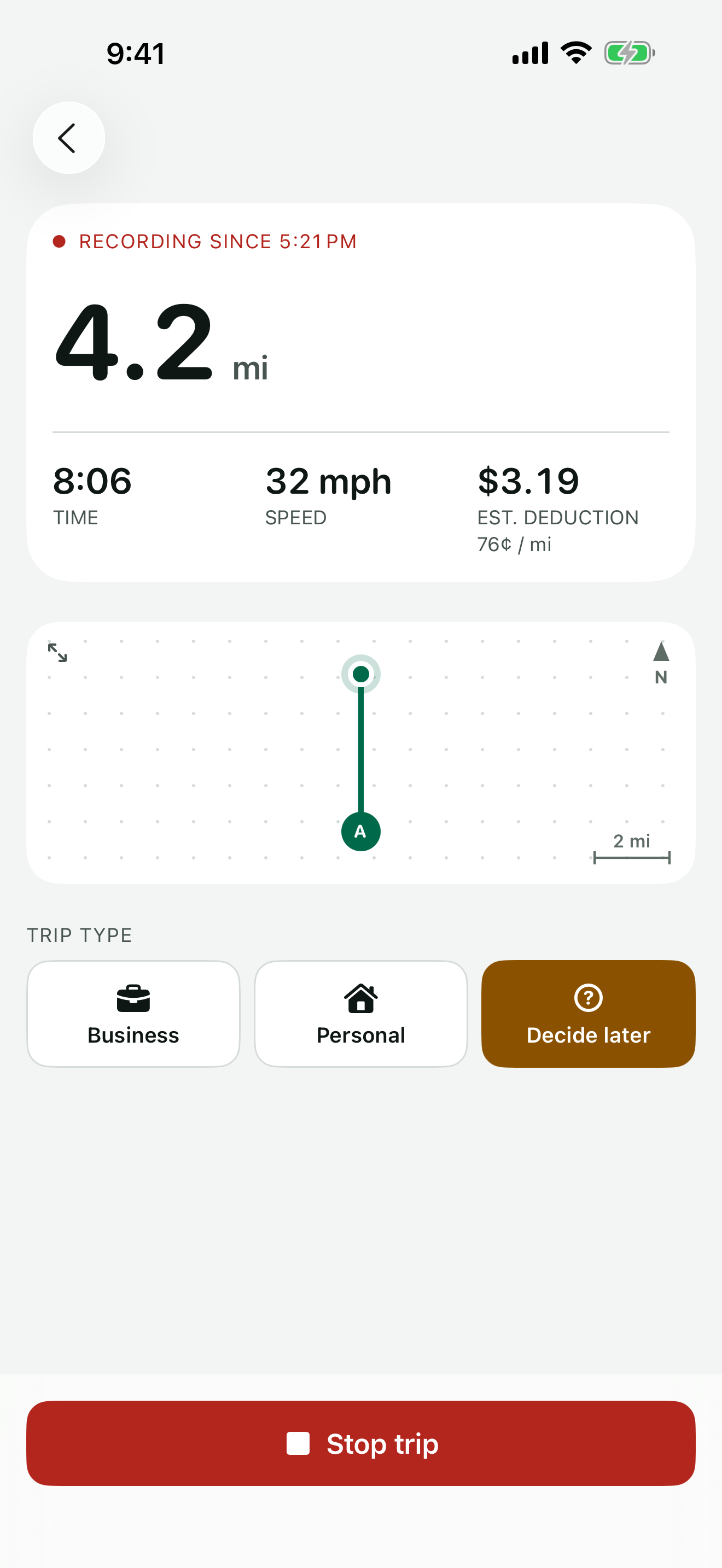
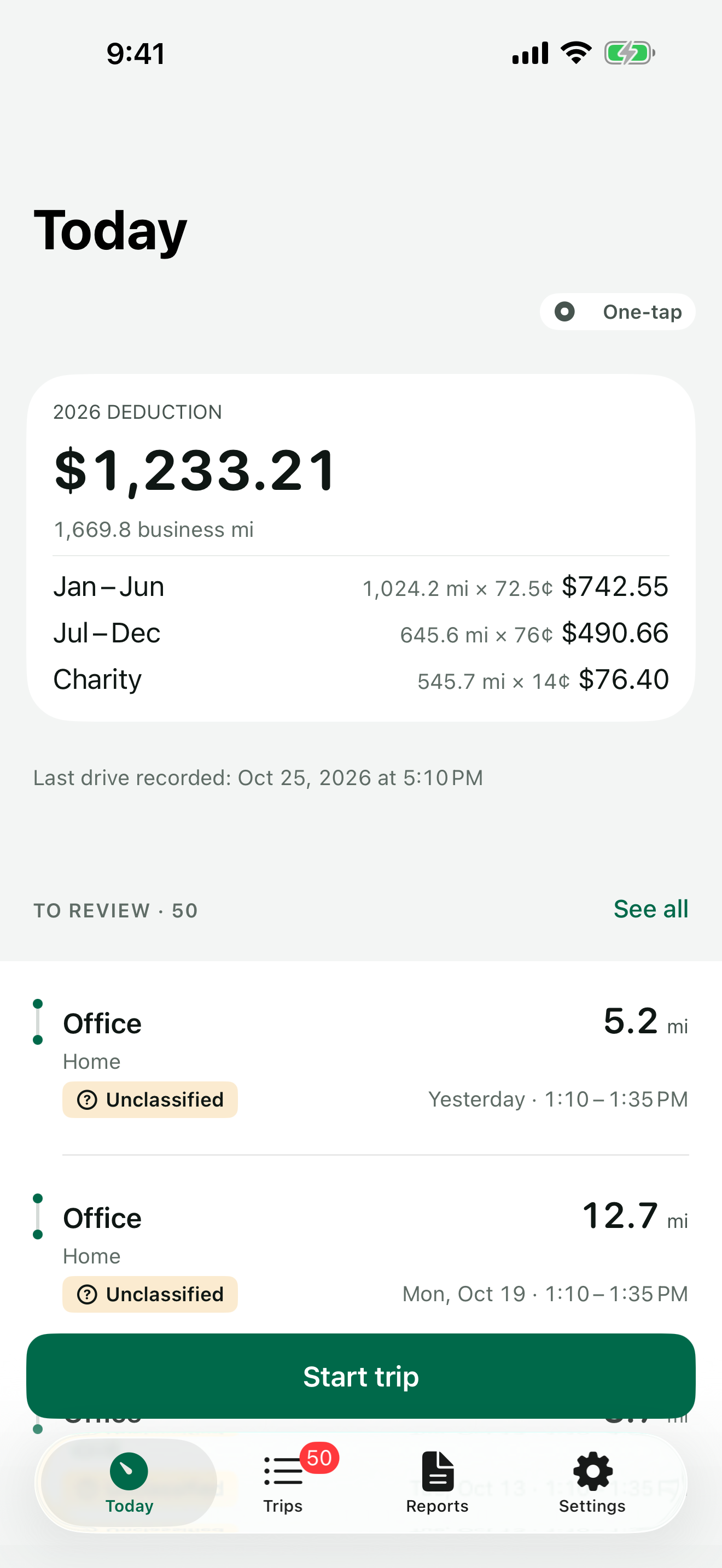
One tap from the Lock Screen, a past trip in seconds, and a heads-up when your iPhone noticed a drive that never made it into the log.
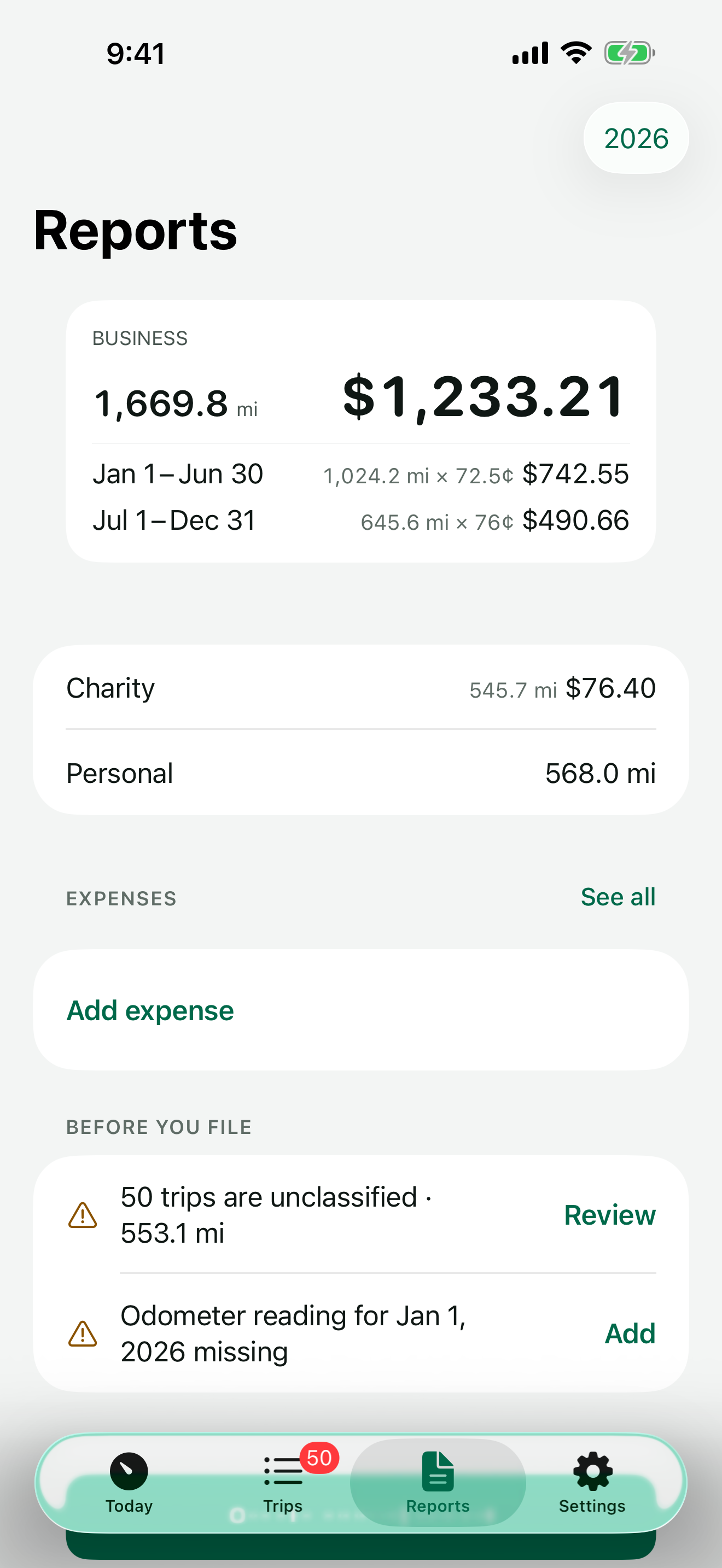
Date, places, purpose and miles for every business trip, at the IRS rate for the day you drove. CSV for free, an annual PDF with Pro.
No account and no server of ours. Your log lives on your iPhone, with a backup in your own iCloud.
From the app, the Lock Screen, Control Center or Siri. Forgot? Add the trip later in seconds.
Right for business, left for personal. Add a purpose once and pick it next time.
Export a CSV anytime, or create the annual PDF report with Odometa Pro.
Miles are measured as you drive, on your iPhone, and shown live on the Lock Screen and in the Dynamic Island.
Left for personal. A week of driving is classified in a couple of minutes — or by itself.
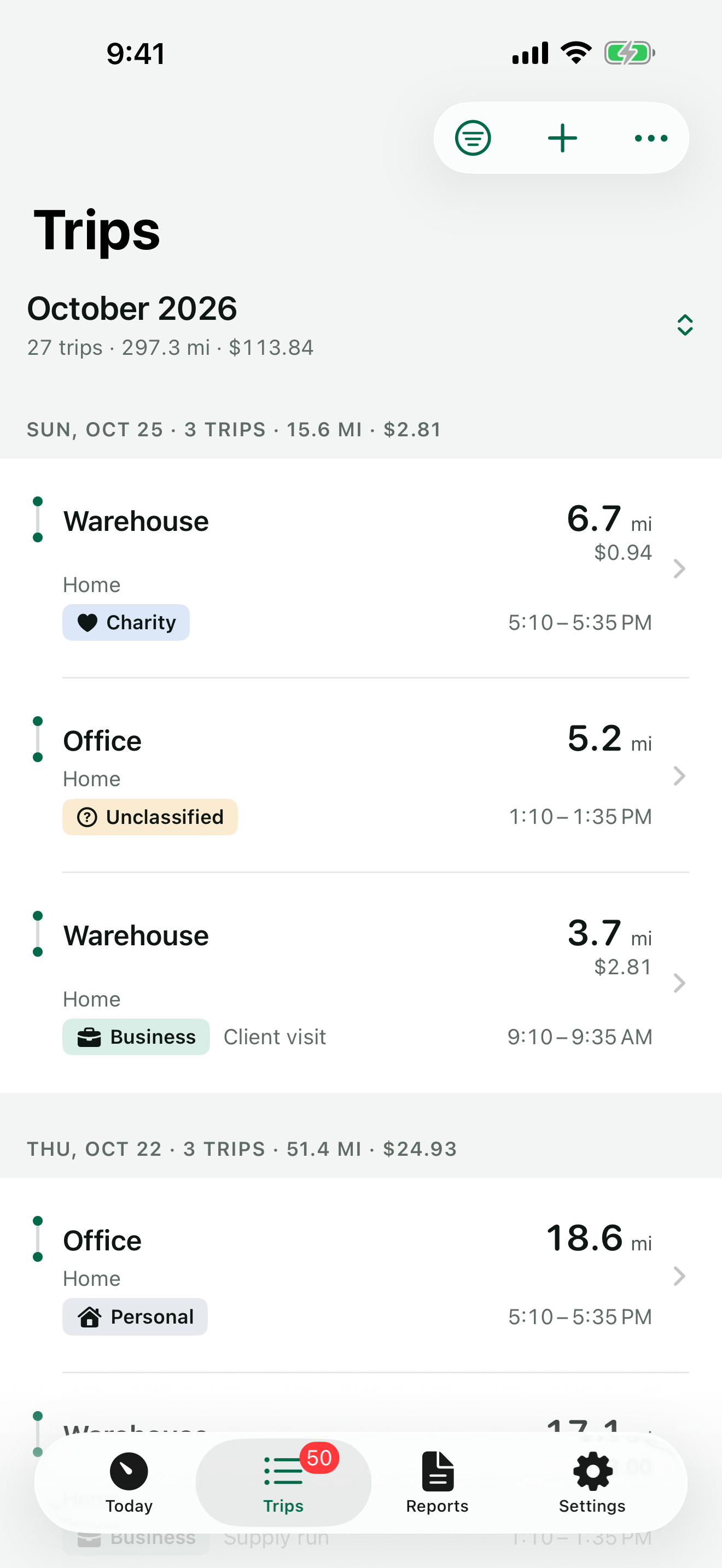
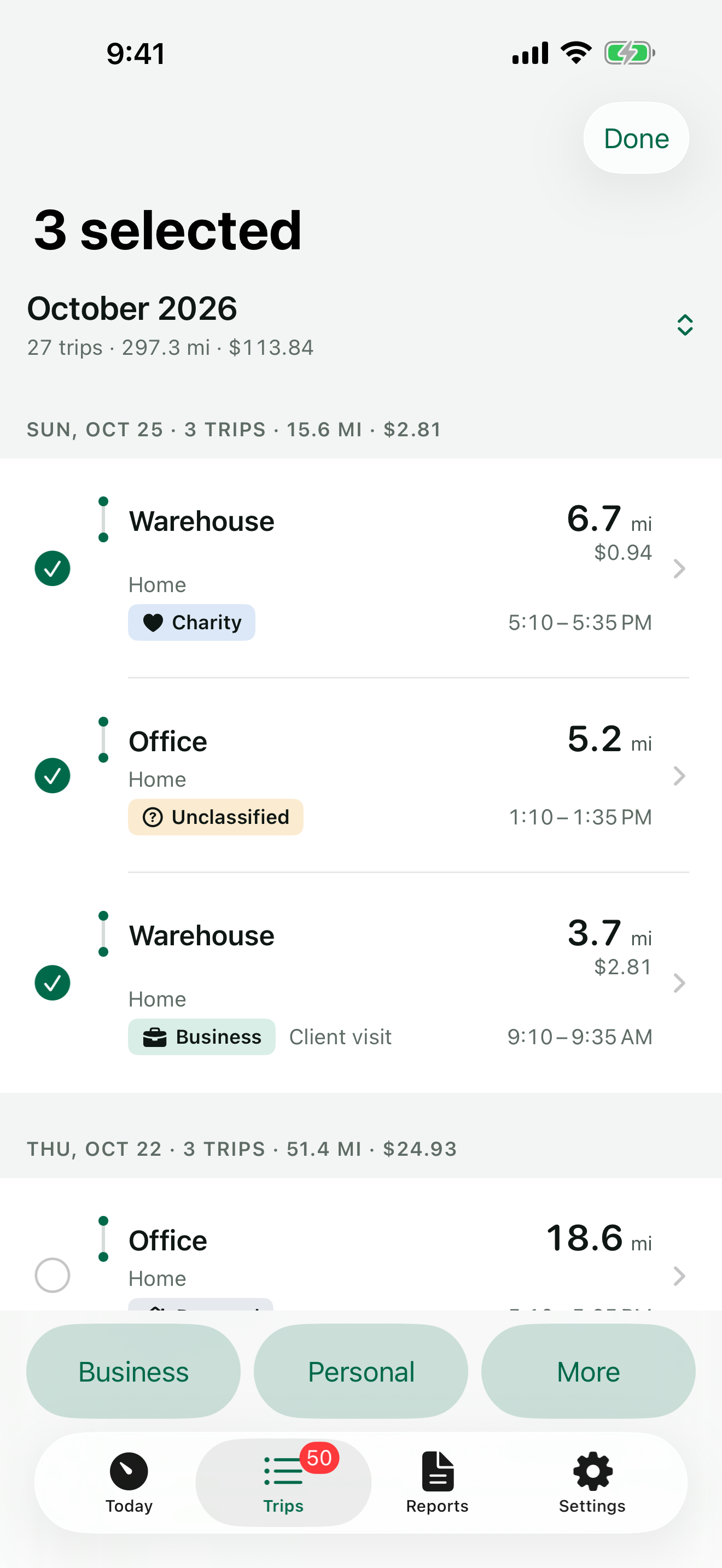
Each trip shows where it started, where it stopped and where it ended — with the miles and minutes in between.
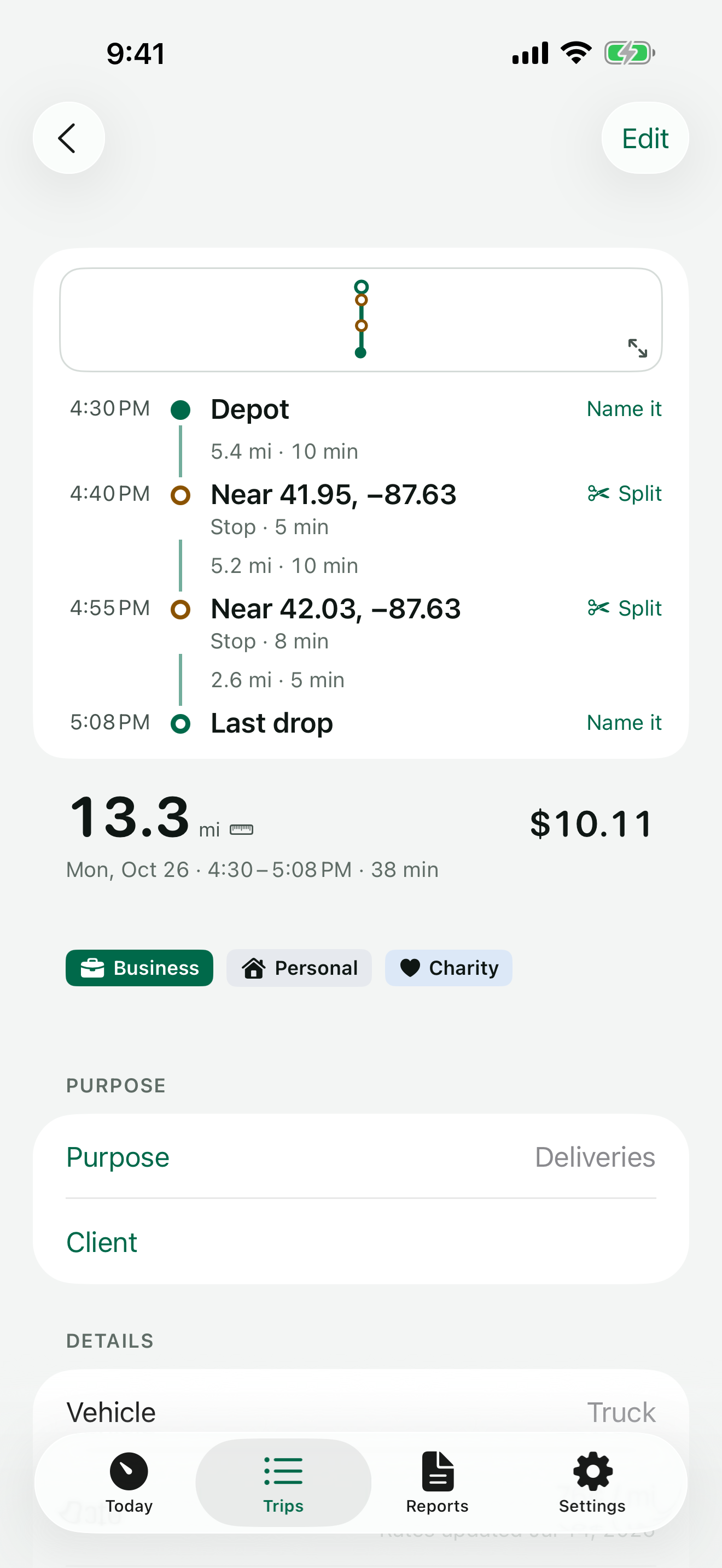
If recording stops, Odometa tells you. If your iPhone noticed driving and no trip was recorded, you see when it happened and can add it.
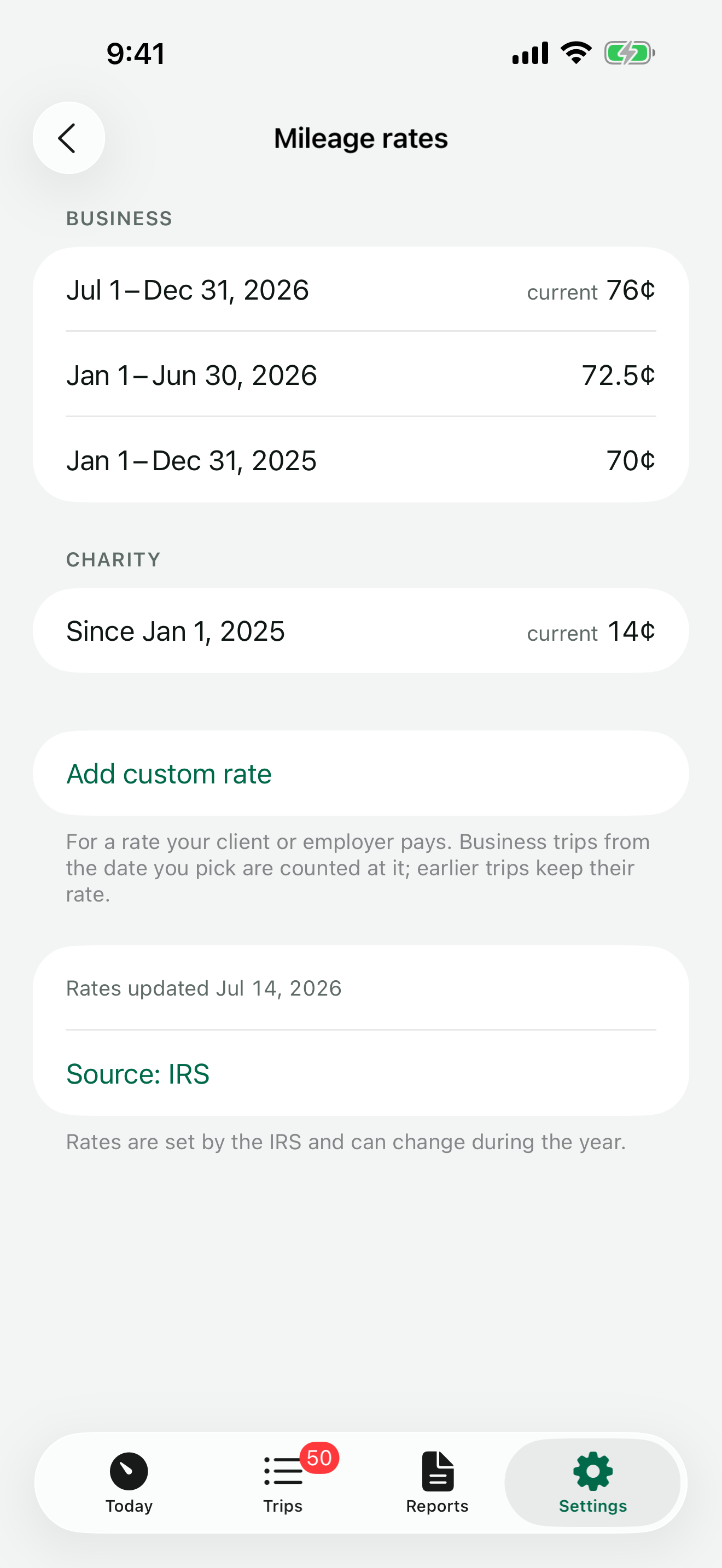
Your deduction is calculated with the IRS standard mileage rate that applied on the date of each trip. When the rate changes during the year, earlier trips keep the earlier rate.
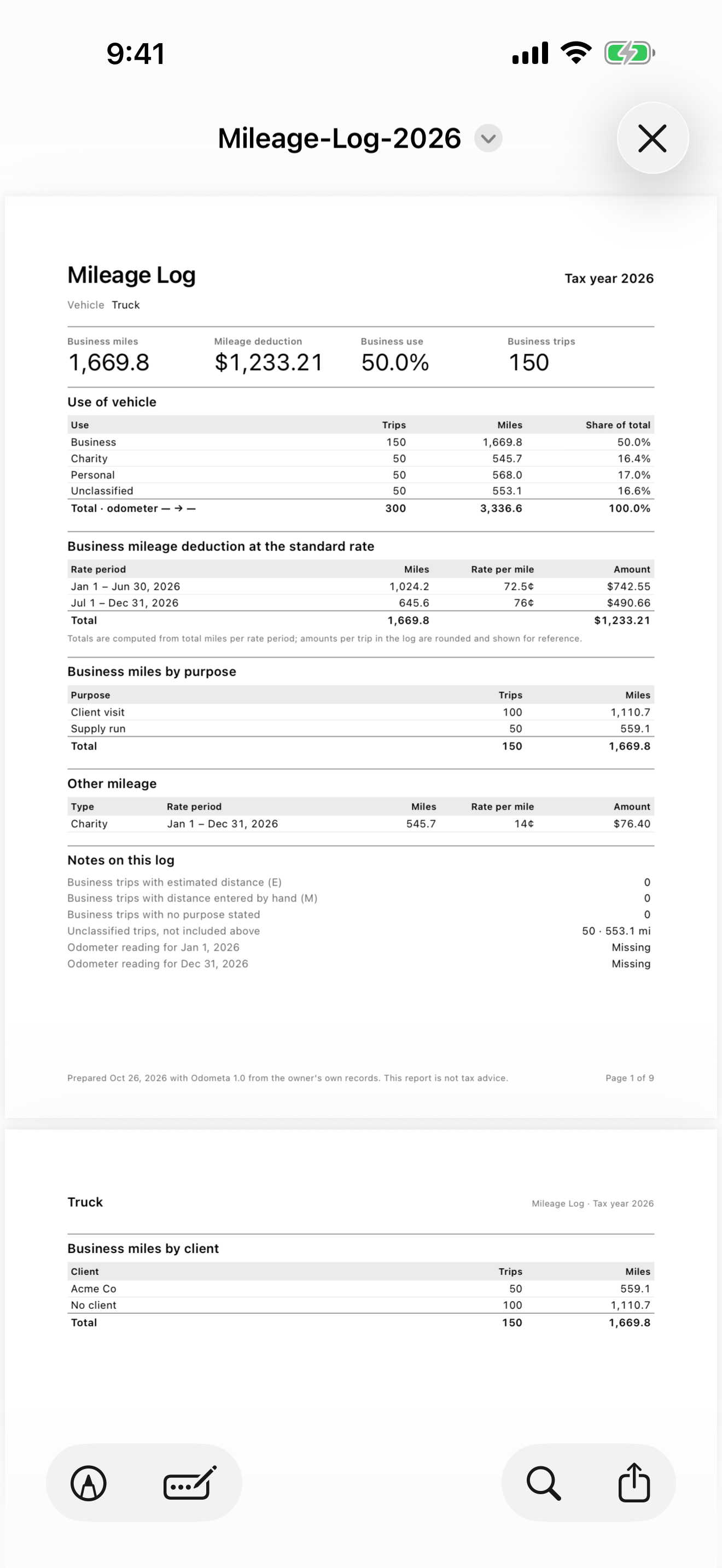
Each business trip has its date, start, destination, purpose and miles. Odometa checks every file before it lets you send it.
Log parking, tolls and supplies with a photo of the receipt, next to the trip. With Pro, the amount, date and merchant are read from the photo — on your iPhone.
Odometer readings for the start and end of the year, and the share of business use for each vehicle. More than one vehicle with Pro.
Your deduction and the trips waiting to be marked on the Home Screen. Start and stop a trip from Control Center or with Siri.
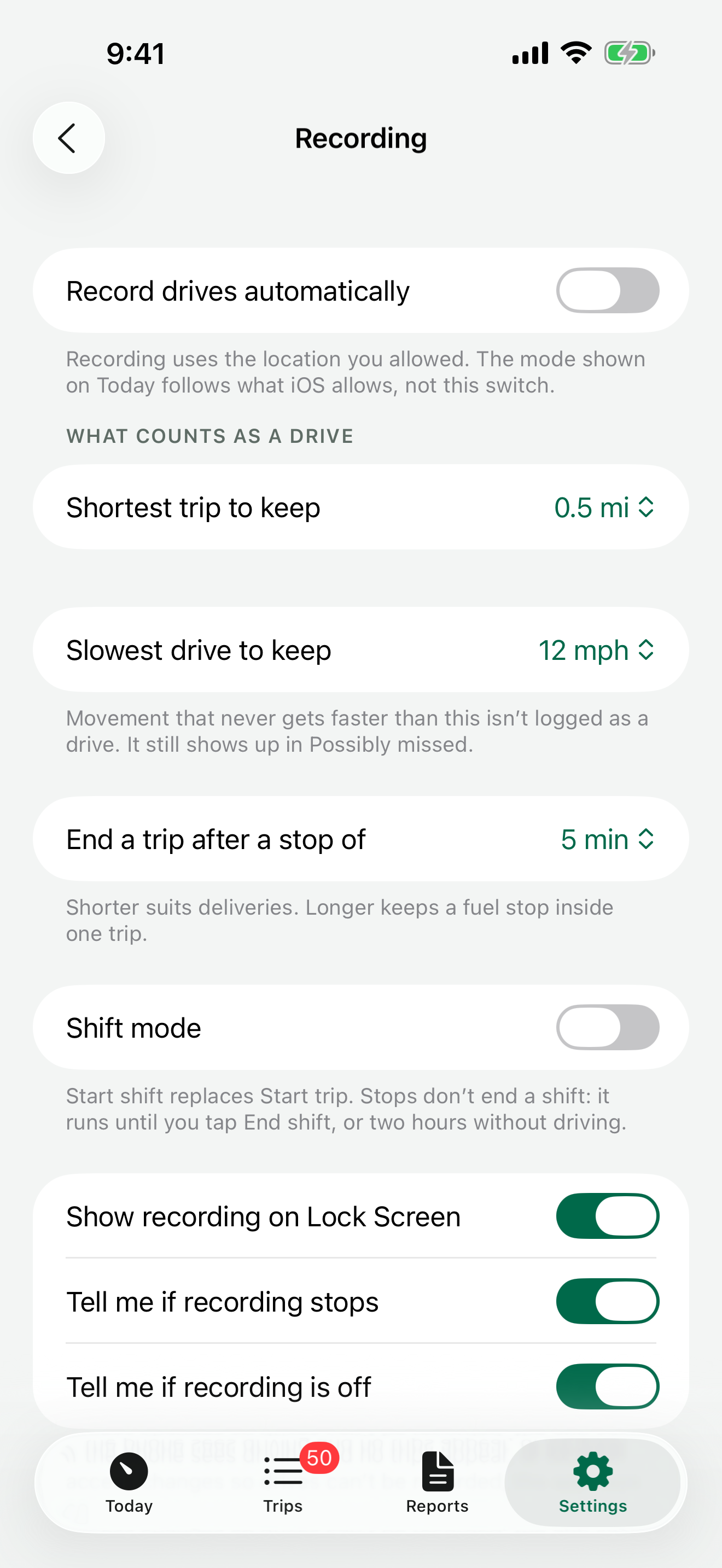
Recording settings. What counts as a drive, shift mode and recording alerts.
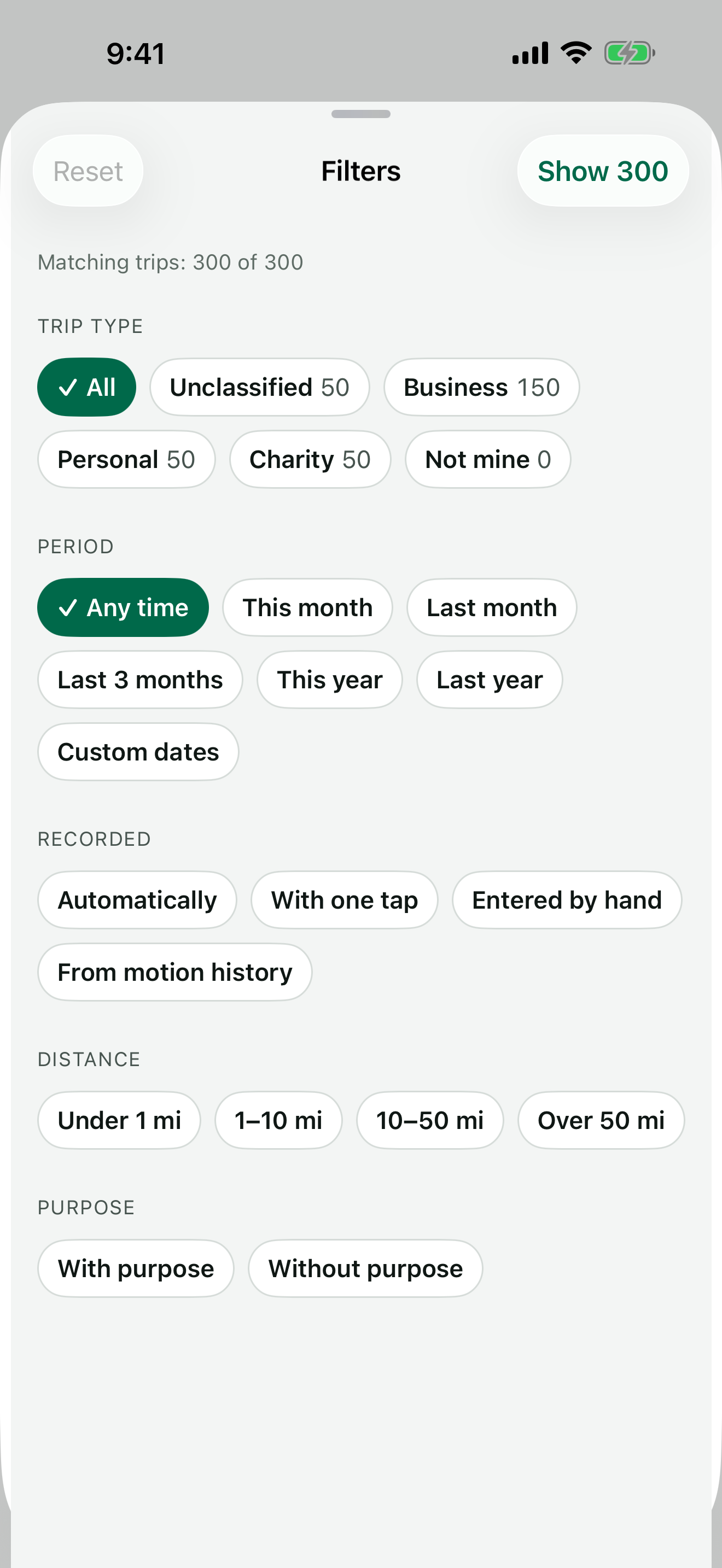
Filters. Any trip in a year of driving, in two taps.
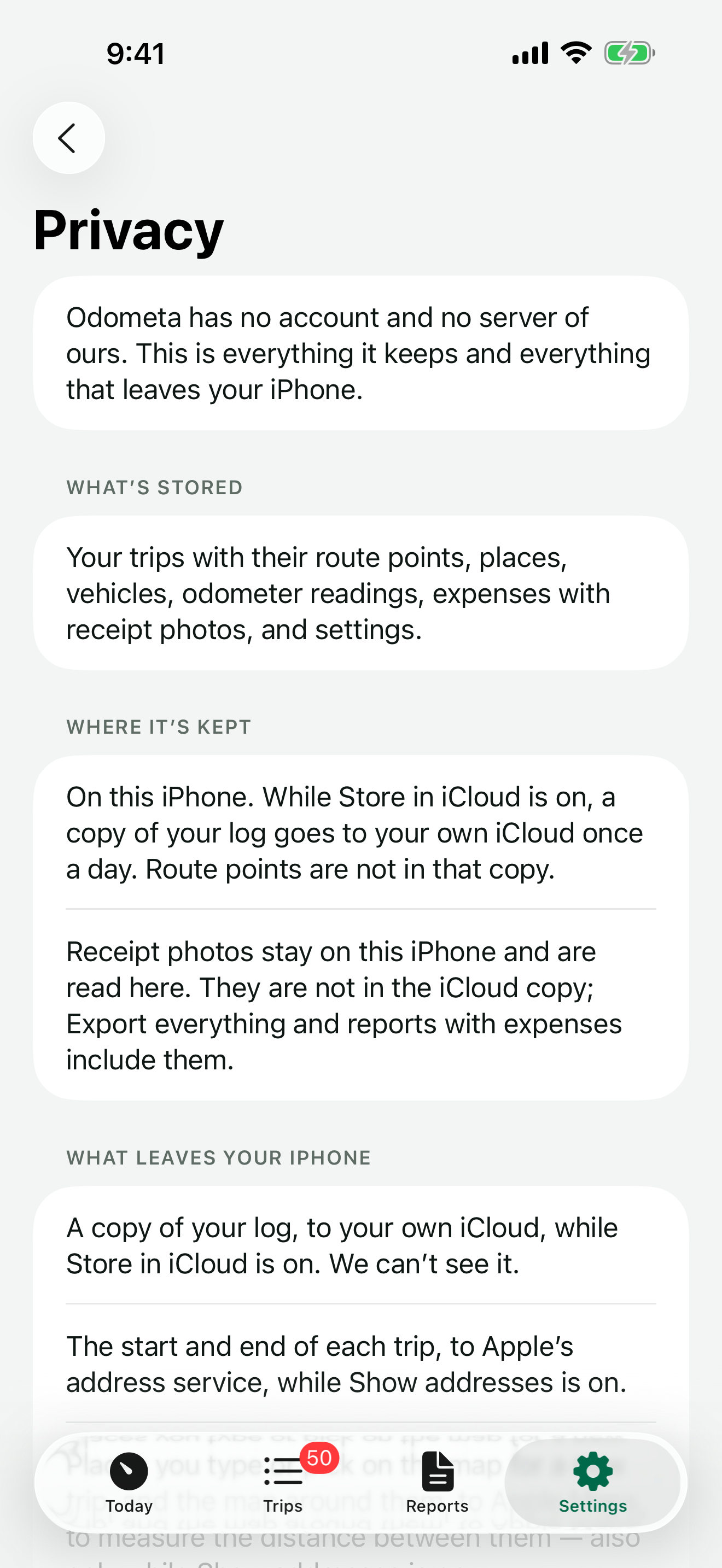
Odometa has no account and no server of ours. Your trips are stored on your iPhone and backed up to your own iCloud — and you can turn that off.
Or pay by the year. The one-time purchase will always be offered.
$0
Everything you need to keep the log. No trip limit, no time limit.
Everything in Free, plus:
Both include Family Sharing. Your yearly price stays the same for as long as you stay subscribed.
Prices in the US App Store. The yearly subscription renews automatically unless canceled at least 24 hours before the end of the period.
The IRS doesn’t approve apps. Odometa records what the IRS asks a mileage log to contain: the date, the places, the business purpose and the miles of each trip.
No app can promise that. Odometa marks estimated distance and edits made by hand, so your log shows what was measured and what wasn’t. Talk to a tax professional about your situation.
Only if you turn on automatic recording. Otherwise location is used only while a trip you started is recording.
On your iPhone, with a backup in your own iCloud. There is no account and no server of ours.
Yes. Turn off Store in iCloud in Settings › Data. The app then writes nothing to iCloud, and you choose whether the copies already there are deleted.
Your log is backed up to your iCloud once a day. On a new iPhone the app offers to restore it. Route points are not part of the backup; trips keep their miles and places.
The start and end of a trip, to look up the address — your route in between doesn’t. Maps are loaded only if you turn on Show maps. You can turn address lookup off and name places yourself.
Not while you stay subscribed. If the yearly price changes, it changes for new subscribers only. And Pro is also a one-time purchase — that option will always be offered.
Your trips stay, and so do CSV export and backups. Pro features such as the PDF report and automatic recording are turned off until you renew.
It records trips and exports them, and you can set your own rate for reimbursements. It doesn’t handle employer approval.
The deduction is calculated with the standard mileage rate. You can log parking, tolls and other expenses next to your trips and include them in reports.
Miles only — the app is built around US tax rules. iPhone only, with iOS 26 or later.
Something else? Write to us — every message is answered.
The IRS business rate since July 1, 2026. Start your log today.